What a VAT-ready ERP actually has to do in the UAE
Most UAE businesses do not go looking for an ERP. They go looking for a way to stop rebuilding the same numbers every quarter — chasing invoice copies, re-checking which lines carried 5% and which did not, and hoping the file they send matches the one in the accountant's folder. This guide is written for the person doing that work: what a system has to do to keep you compliant, where the hidden time actually goes, and how to judge a vendor before you commit a single seat.
1 August 2026 · 11 min read
On this page
The 5% is the easy part
You already know the rate. A spreadsheet works out 5% of an invoice line without complaint, and so does the accounting software you are probably using right now. If arithmetic were the problem, nobody would dread the end of a return period.
What costs you time is evidence. Months after a sale, you need to show what was charged, to whom, against which TRN, on what date, and which document backs it up. That is not a calculation. It is record-keeping, and it is where most systems quietly fail.
The failure has a familiar shape. Sales are exported from one file and purchases from another, because the two never lived in the same place. A credit note raised in the second month was recorded but never applied against the original invoice, so the sales figure is overstated and nothing says why. A supplier bill was entered twice, from the email and from the paper copy, and only one was paid. Now three people spend a week on it, and the work is closer to archaeology than accounting: digging through folders to reconstruct what happened, rather than reading a record that already knows.
So the honest description of VAT-ready software is a record-keeping system that happens to do tax. The tax part is a consequence of the records being complete and connected, never a feature bolted on top of them.
That changes the buying question. Not "does it calculate VAT" — everything does, and any vendor will say yes. The question is whether the system can take any number on your return and walk you back to the document that produced it, without you opening a second file. What follows is that checklist: what to look for, and what breaks when it is missing, whether you are evaluating an ERP that runs VAT accounting, invoicing and stock together or defending the setup you already have.
What 'VAT-ready' actually means
In a demo, an invoice is raised, a tax line appears, everyone nods, and the conversation moves to dashboards. That proves almost nothing. Here is the checklist worth taking into the next one, and the failure each item prevents.
Tax applied at line level. A single invoice should carry a 5% line, a zero-rated line and an out-of-scope line together. When tax is set on the whole document instead, your team splits one job across three invoices and the return stops tying back to the ledger.
Tax invoices that carry the required fields. Ask to see one printed, and check it holds:
- supplier name, address and TRN, plus the customer's details including their TRN where they are registered;
- a sequential invoice number that cannot be reused;
- the invoice date, and the date of supply where the two differ;
- a description of the goods or services, the rate applied per line, the tax amount and the total in AED.
If any of that gets added by hand in Word afterwards, you do not have an invoicing system. You have a spreadsheet with a login.
Credit notes linked to the original invoice. A credit note should reference the document it reverses, so the pair is traceable in either direction. Systems that make you type a negative line leave you unable to explain which sale a reduction belonged to.
Reverse charge on imports. Tax on imports has to land on both sides of the return, output and input, from a single purchase entry. Without it, someone rebuilds the figure by hand each quarter and the workings live on one laptop.
Zero-rated exports and designated-zone supplies kept distinct. These are separate treatments, not one shared "no tax" bucket. Collapse them and the return shows a number nobody can break down later.
Reporting on your actual return period, with an audit trail behind it. The report should run on your tax period, not a calendar guess you adjust downstream, and posted documents should record who changed what and when rather than being edited silently. Corrections should be visible as corrections.
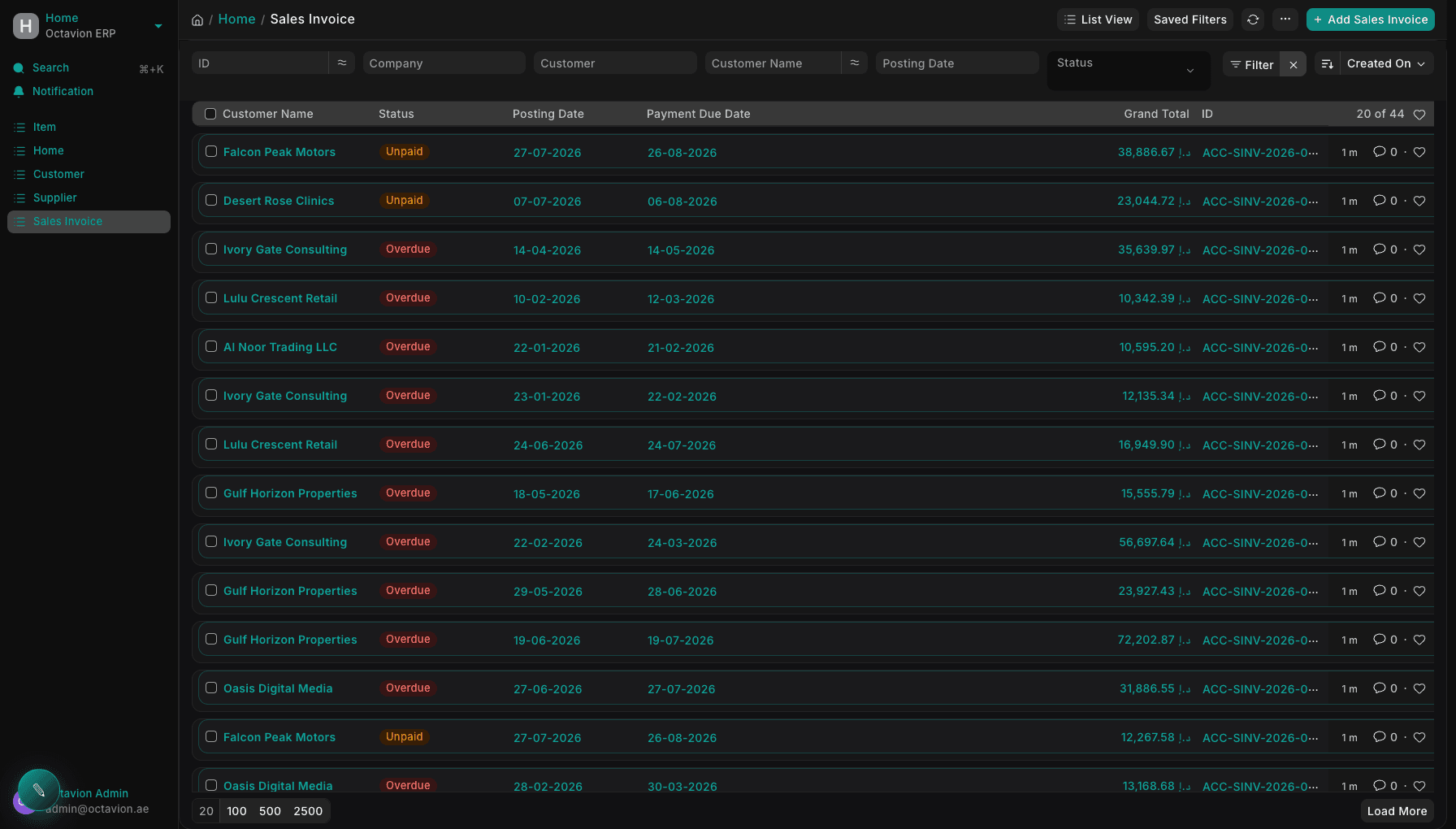
None of that is exotic. It is what a working invoice list looks like in daily use: tax computed per line, statuses on the face of the list, AED totals you can open rather than retype. Hold every option to that standard, and read what is actually included in each Octavion product before you book anything.
Your ledger and your return are the same object
The usual arrangement bolts a tax module on top of the books to produce a return at the end of the period. It works, in the sense that a number comes out, but every late supplier credit note then has to be corrected in two places by hand. The problem is not the add-on; it is that the return is assembled as a separate artefact instead of read off the books. When output tax and input tax are real accounts that carry balances, the return stops being a construction project. It becomes a view. You open it, and it shows what the ledger already says.
That only holds if the wiring underneath is right. Tax treatment should sit on the item and on the customer, so the correct treatment is the default rather than a decision someone makes invoice by invoice at four in the afternoon. Period controls matter as much: a closed period that quietly accepts a backdated entry is how a clean return becomes a wrong one three weeks later.
The same wiring pays off outside tax
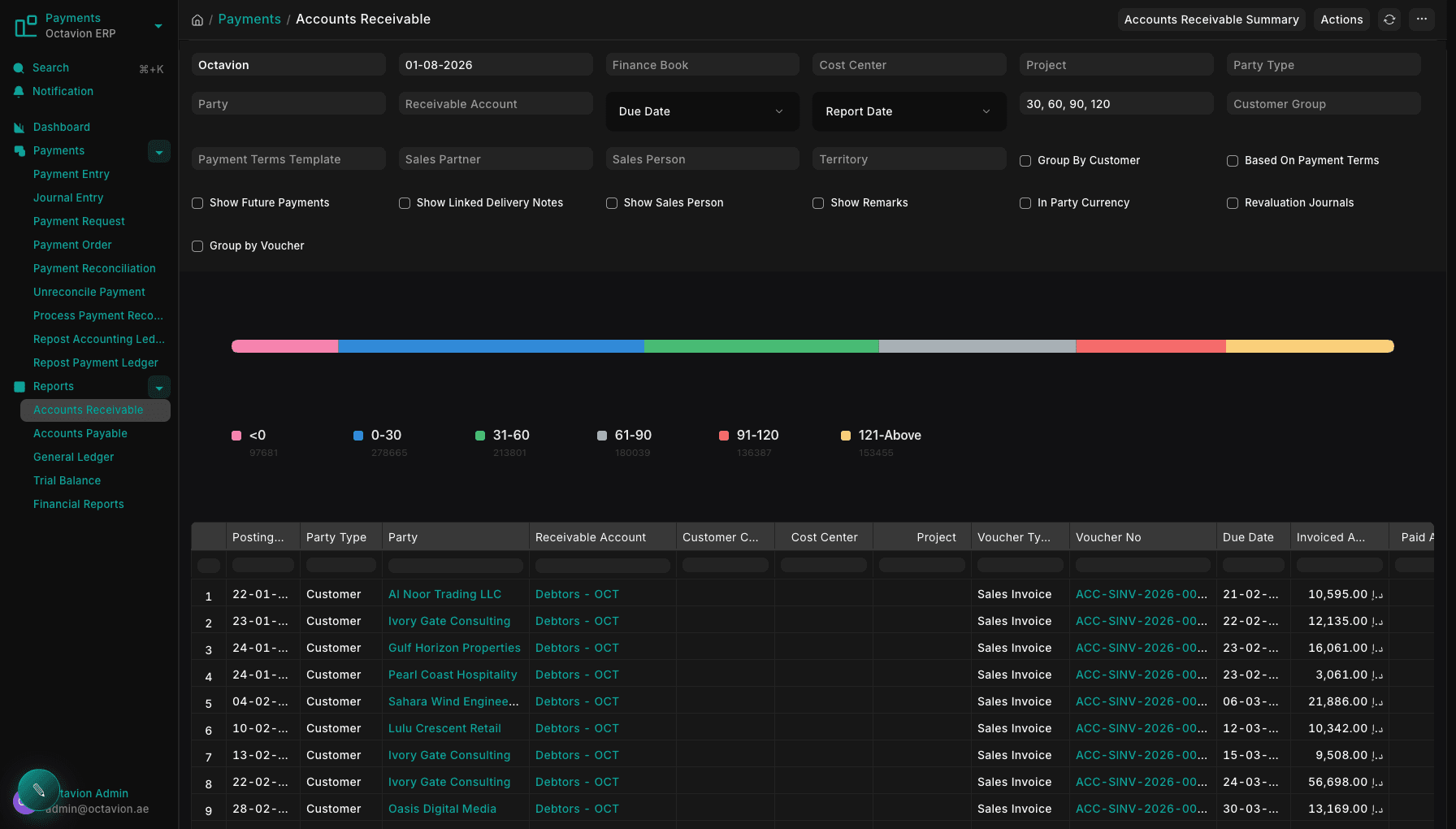
Finance teams care about this for reasons that have nothing to do with the return. A receivables ageing report that reads from posted documents tells you who is genuinely late, not who someone remembered to chase. Reconciliation becomes a matter of matching, not detective work: a question asked, and the ledger answering it directly.
Setting up the chart of accounts and tax treatments is a configuration job; the step-by-step detail lives in the Octavion documentation for accounting and tax setup.
Where the numbers actually come from
Nothing on your VAT return is created in the accounts department. It arrives from operations: a delivery that went out on Tuesday, a milestone signed off on site, a batch that came off the bench. If those events are recorded somewhere other than where the invoice is raised, the return is assembled from copies rather than records.
A trading company holding stock in more than one warehouse has three figures that have to agree: what physically left, what it cost, and what was invoiced. When the stock ledger sits in a spreadsheet, part shipments, returns and replacements are where the movement and the invoice quietly separate.
A contractor or an agency billing against projects leaks somewhere else. Progress billing follows certification rather than the calendar and retention is held back for months, so milestones get invoiced late, invoiced twice, or the retained portion is treated as though it were never a supply. Light manufacturing adds a third shape: a bill of materials turns purchased inputs into a finished item, and the input tax recovered on those inputs has to stay traceable through the conversion.
Test it in the demo, not in the brochure
Raise one real delivery and invoice it. The stock movement, the ledger entry and the tax line should all appear from that single action. If someone has to key it again, you have found next year's reconciliation problem, and the finance manager becomes the integration.
That single flow is the argument for one ERP where stock, projects and invoicing share a ledger, and the industries Octavion is built for covers the shape closest to yours.
Payroll belongs in the same system
Payroll is usually the last thing to move. The accounts go into an ERP, stock follows, and salaries stay in a spreadsheet that one person maintains and nobody else fully understands. Every month it produces payslips, a journal entry typed into the ledger by hand, and a bank file assembled from a template. That split is tedious rather than dramatic, which is why it survives for years.
A payroll run has to produce more than a payslip. Basic salary, housing and transport allowances, overtime, loan deductions and unpaid leave each belong to a specific account, and they should land there when the run is posted, not when someone remembers. End-of-service and leave accruals need to build up month by month, so a resignation in November is a number you already carried rather than a surprise at year end. And the run needs a WPS-ready output for the bank, generated from the same employee and salary records: the file is produced in the required format, while the bank relationship and any approvals remain yours.
Payroll costs are not VAT items: no output tax, no input tax, nothing that reaches the return. They are still the largest question management asks about after revenue, and the number most often quoted from a different source than the accounts.
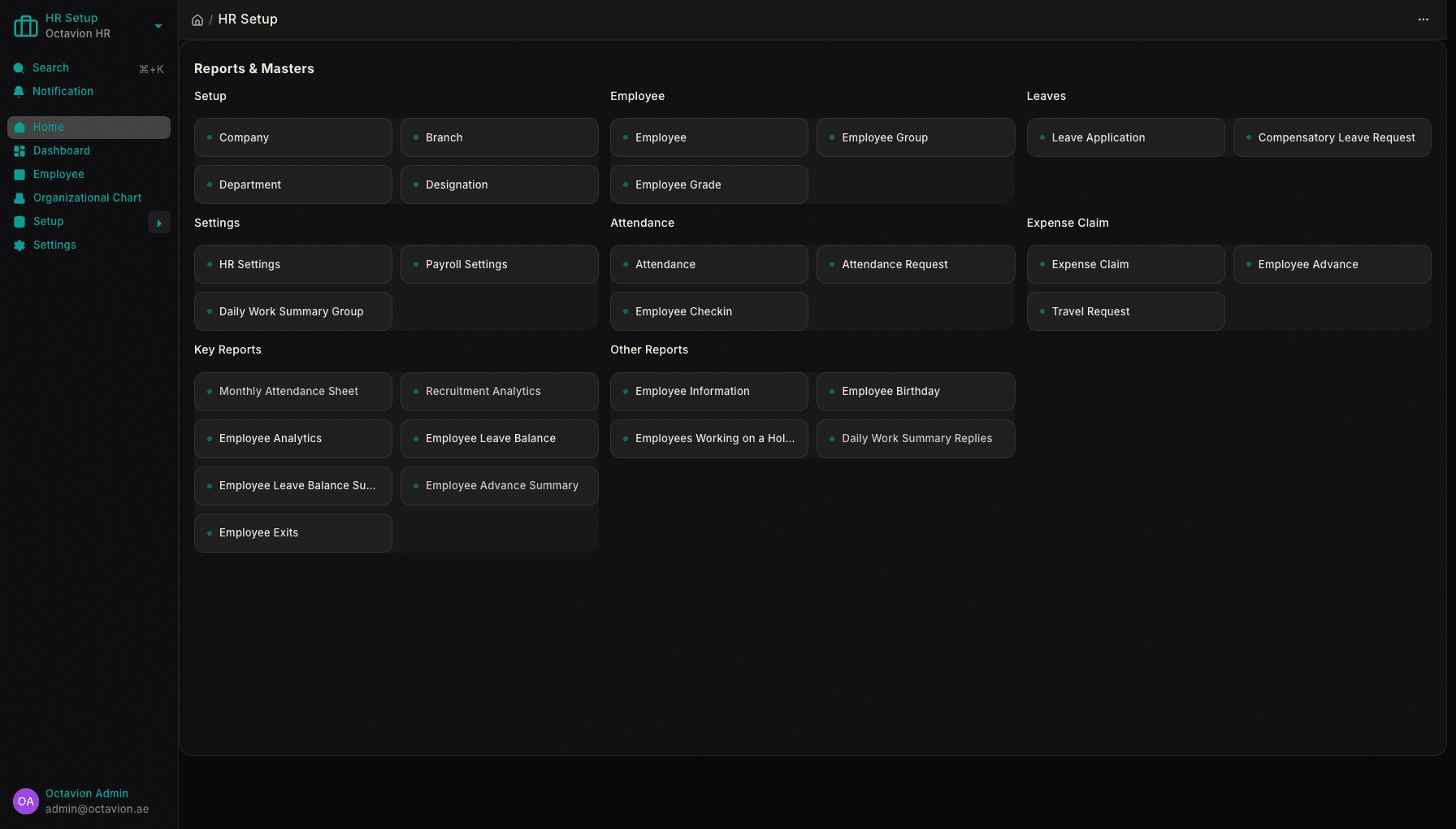
When attendance, leave and payroll sit in the same workspace as the ledger, headcount cost, project cost and margin agree without a reconciliation step, because there is only one set of records. The HR and payroll app for UAE employers covers the run in detail; it is bought alongside the ERP rather than bundled invisibly into it.
The revenue side of the same ledger
The last invoice request that reached your finance desk probably arrived as a message: this customer, these items, this amount, raise it today. Whoever raises it has no idea what was promised on the phone or which discount was agreed.
A sale and a tax invoice are the same story told twice. A deal moves through a pipeline, someone rings the customer, a quote goes out, it becomes an order, and the order becomes an invoice with 5% VAT on it. Told once, in one system, each step carries the one before it. Told twice, the second telling is a guess.
A spreadsheet of leads, a shared inbox and a standalone dialler each hold a piece of the customer, and none of them hold the customer. Sales re-key an address that already exists in the ledger, finance chase context that was never written down, and the correction shows up later as a credit note.
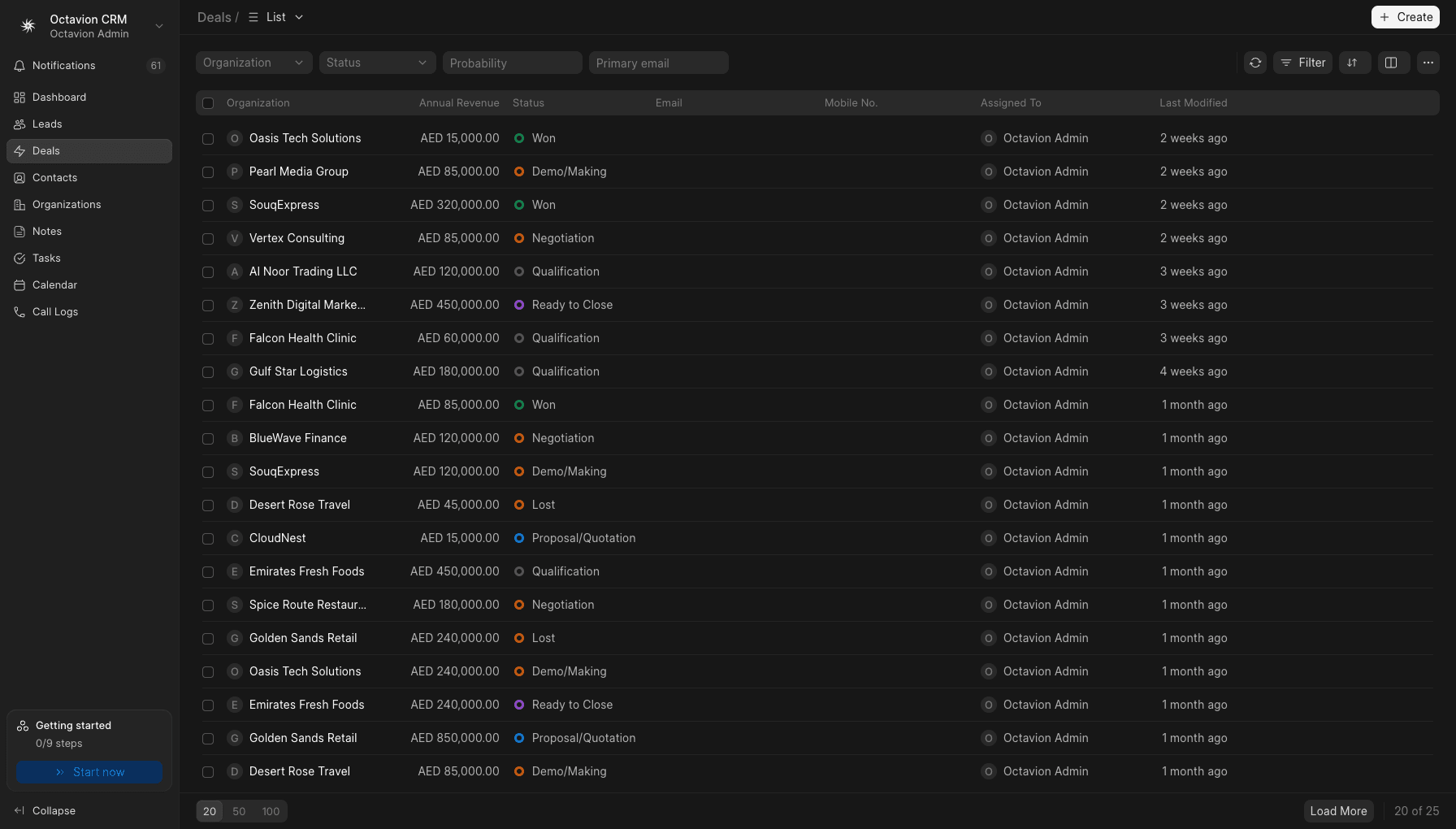
What changes when the pipeline and the ledger share one customer record is mundane and immediate. A deal stage ends in a real sales order rather than a note that says won. Dialling is one click from the deal, and the call logs itself against that customer with its duration and outcome, instead of being typed into a notes field at six o'clock from memory. The interface runs in Arabic and English, so nobody keeps a second, informal record in the language they actually work in.
Sales adoption is not a soft benefit: a deal closed inside the same system reaches the ledger with its history attached. The depth sits on its own pages: a CRM with click-to-call and automatic call logging, the call centre with queues, recording and CSAT, and AI transcription and call analysis for the conversations behind the numbers.
Questions to ask before you sign
Features are only half of it. What decides whether the system still suits you in year three is a short list of commercial questions. Listen to the shape of each answer, not just the content: a specific reply is a good sign, a reassuring one is not.
- How is it priced, and what happens when I add one person? A good answer is a rate you can multiply yourself: per seat, per month, in AED. A bad answer is a package that has to be renegotiated whenever you hire.
- What is included in a seat, and what is bought separately? You want a list, not a promise that "it's all in there".
- Where does my data live, and who else can read it? Ask who operates the servers and who inside the vendor can open your ledger.
- Can I export everything if I leave? Customers, invoices, journal entries, attachments — in a format your accountant can open without the vendor's help.
- Does the interface work in Arabic for daily users, not only in printed reports? Have someone work through it in Arabic before you decide.
- Who migrates opening balances and the customer list, and at what cost? Silence here means it becomes your job.
- What happens when I add a warehouse, a branch or a second company? This should be a setting, not a new contract.
- Is there real documentation I can read before buying? Ours is public at the Octavion product documentation.
Our own answers, plainly: seats are charged per seat per month in AED, set out on the Octavion pricing page; there is no free tier, but there is a seven-day trial. The software is hosted by Octavion, and the company is based in Dubai, as the page explaining who runs Octavion sets out. The interface is Arabic and English throughout, and export questions are answered on the frequently asked questions page.
How to use a seven-day trial properly
The fear is not the price. It is losing a week and still not knowing whether the thing works. So do not explore. Test.
Day one, load ten real customers and your actual item list — your names, your prices, your units, not the demo records shipped with the system.
Day two, raise three invoices that mirror your hardest cases: one with mixed rates on the same document, one zero-rated export, one with a credit note against it. If a system is going to embarrass you, it does it here.
Day three, book two supplier bills, including one import, and check the tax lands on both sides of the ledger rather than only on the invoice you typed.
Day four, run the period report and try to click through from every figure to the documents behind it. A number you cannot open is a number you cannot defend.
Day five, add a second person, check what they can and cannot see, and switch the interface to Arabic to confirm it reads properly for the people who will actually use it. Day six, test the specific thing that made you start searching in the first place.
Be honest about the limits. Seven days is long enough to disprove a system, not long enough to migrate one. The outcome of the week should be a decision, not a finished implementation.
If that plan fits your business, start a seven-day Octavion trial and run it exactly as written above. If your situation is more tangled — several entities, or years of existing data to bring across — talk to the Octavion team about migration and setup first.
Know what you are buying before the week starts: what a seat costs each month in AED is published, the trial runs for seven days, and that is the whole offer. Seven days is enough to find out whether your return traces back to your documents in one system instead of four.